Connect ChatGPT, Claude or Grok to Your Accounting: a Guide to QuickTax MCP
QuickTax MCP connects your own AI assistant to your QuickTax account. Once it is connected, the assistant can look up your deadlines and documents, send us files and prepare sales invoices, each time on your instruction.
Many business owners already ask an AI assistant to summarise an e-mail, check a contract or draft a reply. Until now the assistant could not see your accounting, so questions such as “what is still missing for September?” went to your accountant or into the app. With QuickTax MCP the assistant can answer them itself. Below: what MCP is, which apps work with it, what the assistant can do with your QuickTax data and how that access is protected.
What is MCP?
MCP stands for Model Context Protocol. It is an open standard, first published by Anthropic in 2024, that lets an AI assistant connect to an outside service and use the actions that service offers. Claude, ChatGPT and Grok all support it in some form.
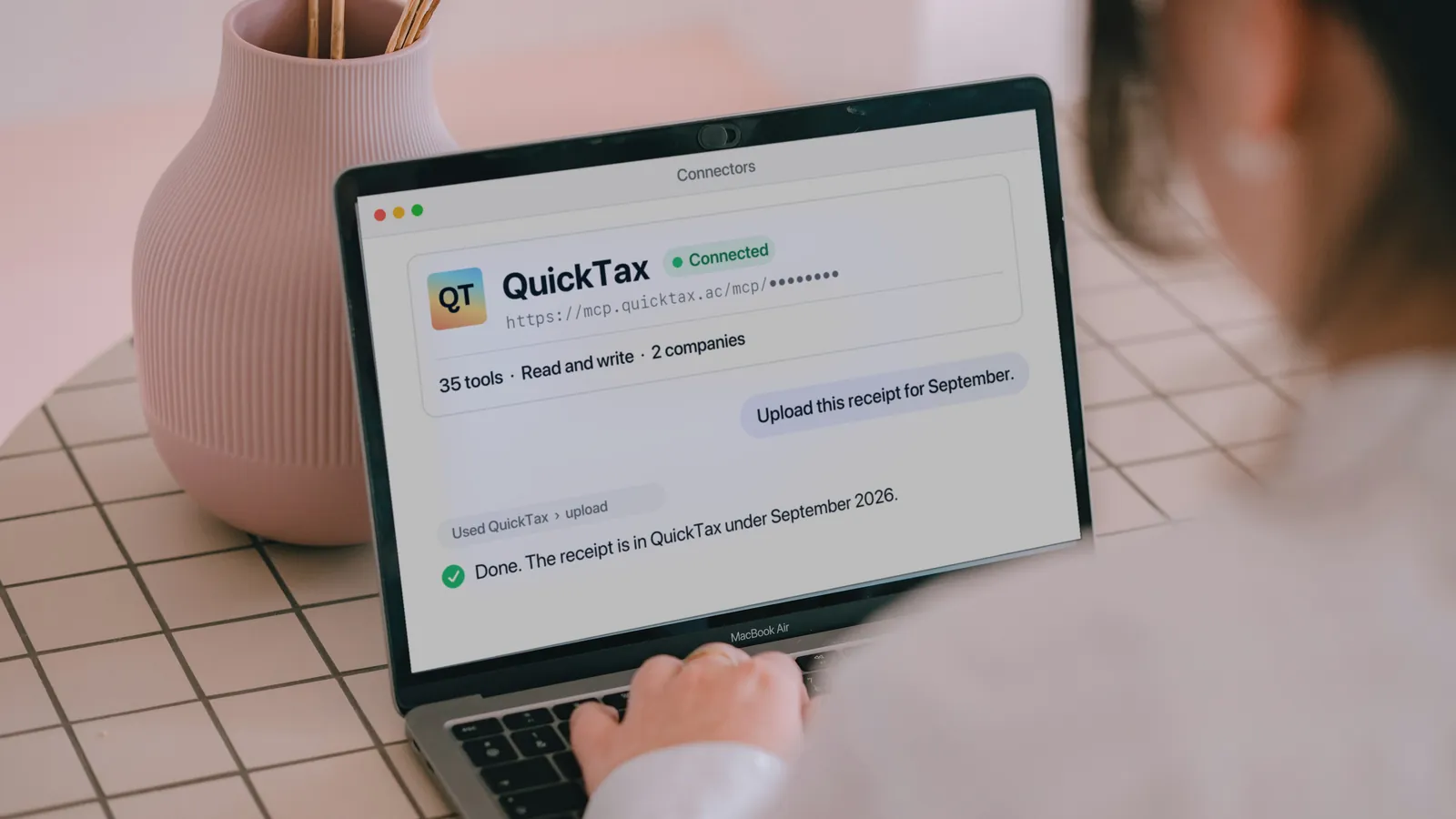
A service that supports MCP runs an MCP server. Ours is at mcp.quicktax.ac. When your assistant is connected to it, the assistant gets a list of 35 actions it can take on your QuickTax data, such as “list my tax deadlines” or “upload this document”. It picks the action that fits your request and answers you with the result.
Each time the assistant needs something, it asks our server, and our server checks the request: who is asking, which company it is about, and whether that person may see it.
Which AI apps work with QuickTax MCP?
Claude on the web, desktop and mobile, ChatGPT in developer mode, Claude Code, Grok, Cursor and any other app that accepts a remote MCP server address. Each of them connects with the same personal link, which you create on the home page of the QuickTax app and paste into the app’s connector settings.
| AI app | Where the link goes |
|---|---|
| Claude (web, desktop and mobile app) | A custom connector |
| ChatGPT | A connector in developer mode |
| Claude Code | The claude mcp add command |
| Grok | A custom connector |
| Other apps that accept an MCP server address, such as Cursor | A remote MCP server |
The personal link is created on the home page of the QuickTax app, in the block Connect your AI agent to QuickTax via MCP. It looks like https://mcp.quicktax.ac/mcp/ followed by a long key. You paste it into the AI app as the server address. The link is shown once, and each user has one active link. Creating a new one turns the old one off. Signing in to QuickTax straight from the Claude and ChatGPT apps is coming soon.
The menus differ from app to app and change often. Our help has current step-by-step instructions for each app: Connect an AI app to QuickTax.
What your assistant can look up
The assistant works with the companies linked to your QuickTax account. If a company is removed from your account, the assistant loses access to it with its next request. For those companies it can read:
- Your company profile and registration details.
- Your bookkeeping status by month, and what we still need from you for each month.
- Your VAT and Corporate Tax deadlines.
- The invoices, receipts and bank statements you sent us, and where each one is in processing.
- Totals from your books and a profit and loss summary prepared by your accountant.
- Your sales invoices, your customers and the items you sell.
- The invoices QuickTax sent you, as documents you can open.
Sending documents through your assistant
The assistant can upload invoices, receipts, bank statements and other documents, either a file it can read itself or a direct download link. These uploads go through the same processing as an upload in the QuickTax app: we recognise the document type and file it under your company. If you tell the assistant which month a document belongs to, it passes that on; otherwise we take the month from the document.
Some apps, ChatGPT among them, do not pass a file you attach in the chat on to QuickTax. In that case the assistant gives you your company’s upload page, and you upload the file there.
Do not ask it to upload sales invoices you created in QuickTax. They are already in your books, and uploading them again would count the same income twice.
Sales invoices
The assistant can create a sales invoice as a draft, change or delete the draft, and issue it once you confirm. After that it can mark the invoice paid, cancel it, or give you a link and a short text to send to your customer. QuickTax does not send the invoice for you and does not move money. A Tax Invoice is issued only when your company’s TRN is on file.
It can also add customers and catalog items, so the next invoice is quicker to prepare.
Bank accounts
The assistant can add a bank account, confirm an account we found in your bank statements, change account details and set the default account for invoices. Anything that changes where your customers pay you waits for you: we e-mail you a link, and nothing changes until you press Confirm on that page.
Questions about tax and the app
The assistant can answer general questions about UAE tax rules and about using the QuickTax app. These answers come from public tax documents and our client guides. For a question about your own situation, your QuickTax accountant is still the person to ask.
What you can ask
You do not need special commands. Ask the way you would ask a colleague.
| You ask | What the assistant does |
|---|---|
| “What VAT deadlines do I have this quarter?” | Reads your deadlines and lists them with dates |
| “Which September invoices are still being processed?” | Lists your September documents and their status |
| “Upload this receipt for September.” | Uploads the file to your company under September |
| “Invoice Example Trading LLC AED 5,000 for October consulting.” | Creates a draft invoice and asks you to confirm it before issuing |
| “What do you still need from me for October?” | Lists the documents and answers we are waiting for |
| “How much do I owe QuickTax?” | Lists the open invoices QuickTax sent you |
How documents get to QuickTax
The AI assistant is one more way to send us documents. The others stay as they are, and you can use any mix of them.
| Way | Best for |
|---|---|
| Upload page and the QuickTax app | Most cases: many files at once, a bank statement with a password, photos from your phone, a cash payment |
| Your AI assistant | Sending a file while you work with Claude, ChatGPT or another assistant |
| E-mail to accounting@quicktax.ac | Forwarding invoices and statements that reach your mailbox, from an address QuickTax knows for your company |
| Google Drive folder | Companies that already keep their documents in one Drive folder |
| WhatsApp chat | A single photo or file while you talk to your QuickTax manager, who adds it to your documents |
Every way leads to the same processing: we read each file, decide what it is and file it under your company. If you are not sure which to use, use the upload page. It takes every format we accept, unpacks ZIP archives, unlocks password-protected PDFs and shows you straight away which files were received. Our help explains each way in detail: How to send us documents.
Security and privacy
The personal link is a secret. Anyone who has it can read your data and act for your company. It is shown only once, and we store only a fingerprint of it, so a lost link cannot be recovered. Replace it instead, and the old one stops working at once. Do not paste it into a shared chat, a document or a support ticket.
Bank changes are confirmed by e-mail. A new bank account, a different IBAN or account number, or a new default account takes effect only after you press Confirm on a page we link to in an e-mail to your account address. The link is valid for 15 minutes. The assistant never asks you for that link or for a code, so a request like that inside a chat is a warning sign.
The personal link lets the app read your data and make changes, such as uploads and draft invoices. It keeps working until you revoke or replace it.
The assistant sees a fixed set of data. It gets only the fields each action needs. It does not receive our accountants’ internal notes, internal review statuses or internal AI assessments.
You can turn access off at any time. In the block Connect your AI agent to QuickTax via MCP, Revoke turns off your personal link, and Replace link gives you a new one and turns the old one off. Every app that uses the old link loses access at once. Documents and invoices the assistant already added stay in your account, because they are part of your accounting records.
Your AI provider is a separate party. What QuickTax returns to your assistant is then processed by your AI provider, such as Anthropic, OpenAI or xAI, under your own agreement with that provider. Check its privacy settings before you connect.
We log one line per action: which action, for which company, whether it was allowed, and when. We do not log your questions or our answers. The full details are in section 5 of our privacy policy.
Limits
- The assistant cannot delete an issued invoice, a customer, a catalog item or a bank account.
- It cannot pay anything or send anything to your customers.
- Each user can make up to 60 requests a minute, 30 uploads an hour and 60 changes an hour.
- QuickTax MCP works with UAE companies.
What this means for you
QuickTax MCP lets the AI assistant you already use work with your accounting. Three things to keep in mind:
Connect with your personal link
Create it on the home page of the QuickTax app and paste it into Claude, ChatGPT, Grok or another app that takes an MCP server address.
Keep the personal link private
It works like a password. If it may have leaked, replace it and the old one stops working at once.
Confirm bank changes yourself
Changes to where your customers pay wait for your Confirm on a page we e-mail you. The assistant never asks for that link or a code.
Frequently asked questions
What is QuickTax MCP?
It is the QuickTax server that AI assistants connect to through the Model Context Protocol, an open standard. Once connected, your assistant can read your QuickTax data, upload documents and prepare sales invoices on your instruction.
Can I use one personal link in several AI apps?
Yes. Each QuickTax user has one active personal link, and you can paste it into Claude, ChatGPT, Grok and other apps at the same time. If you replace or revoke the link, every app that uses it loses access at once, and you paste the new link into the apps you still want to use.
Can the assistant change my bank details?
It can request the change, but a new bank account or any change to where your customers pay you takes effect only after you press Confirm on a page we link to in an e-mail to your account address. The link is valid for 15 minutes, and the assistant never asks you for it.
What if someone gets my personal link?
Anyone with the link can read your data and act for your company. Replace or revoke it in the block Connect your AI agent to QuickTax via MCP on the home page of the QuickTax app; the old link stops working at once.
Do documents uploaded by the assistant get processed like the others?
Yes. They go through the same processing as an upload in the QuickTax app, and they stay in your account if you later disconnect the assistant.